> For the complete documentation index, see [llms.txt](https://support.safeheron.com/help-center/llms.txt). Markdown versions of documentation pages are available by appending `.md` to page URLs; this page is available as [Markdown](https://support.safeheron.com/help-center/product-and-solution/bulletin-board/safeheron-browser-extension-upgraded.md).
# Safeheron Browser Extension Upgraded
07/14/2023
To meet the diverse needs of institutional customers and enhance the user experience of the Safeheron Web3 browser extension, we’ve made the following updates:
### Customize Your Networks
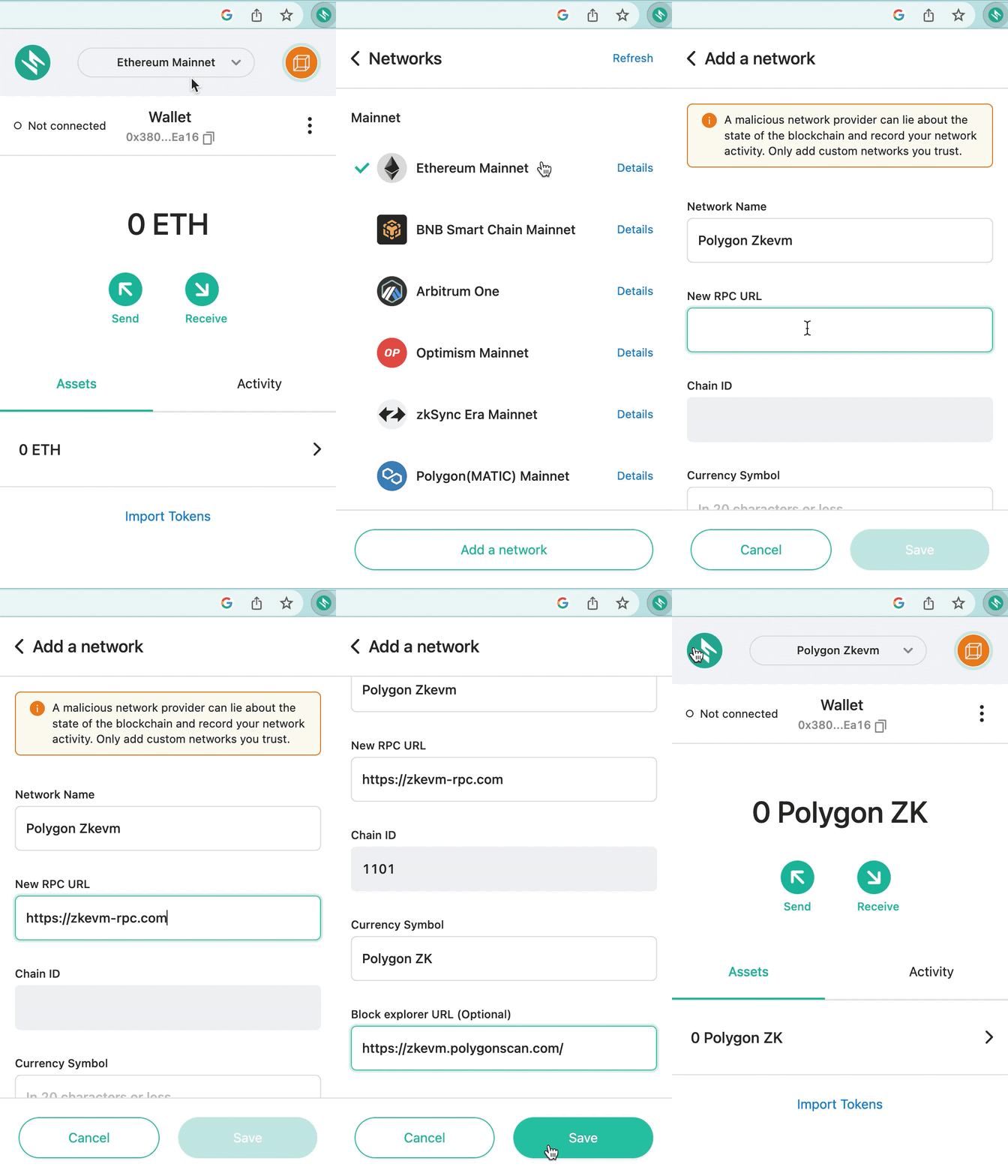
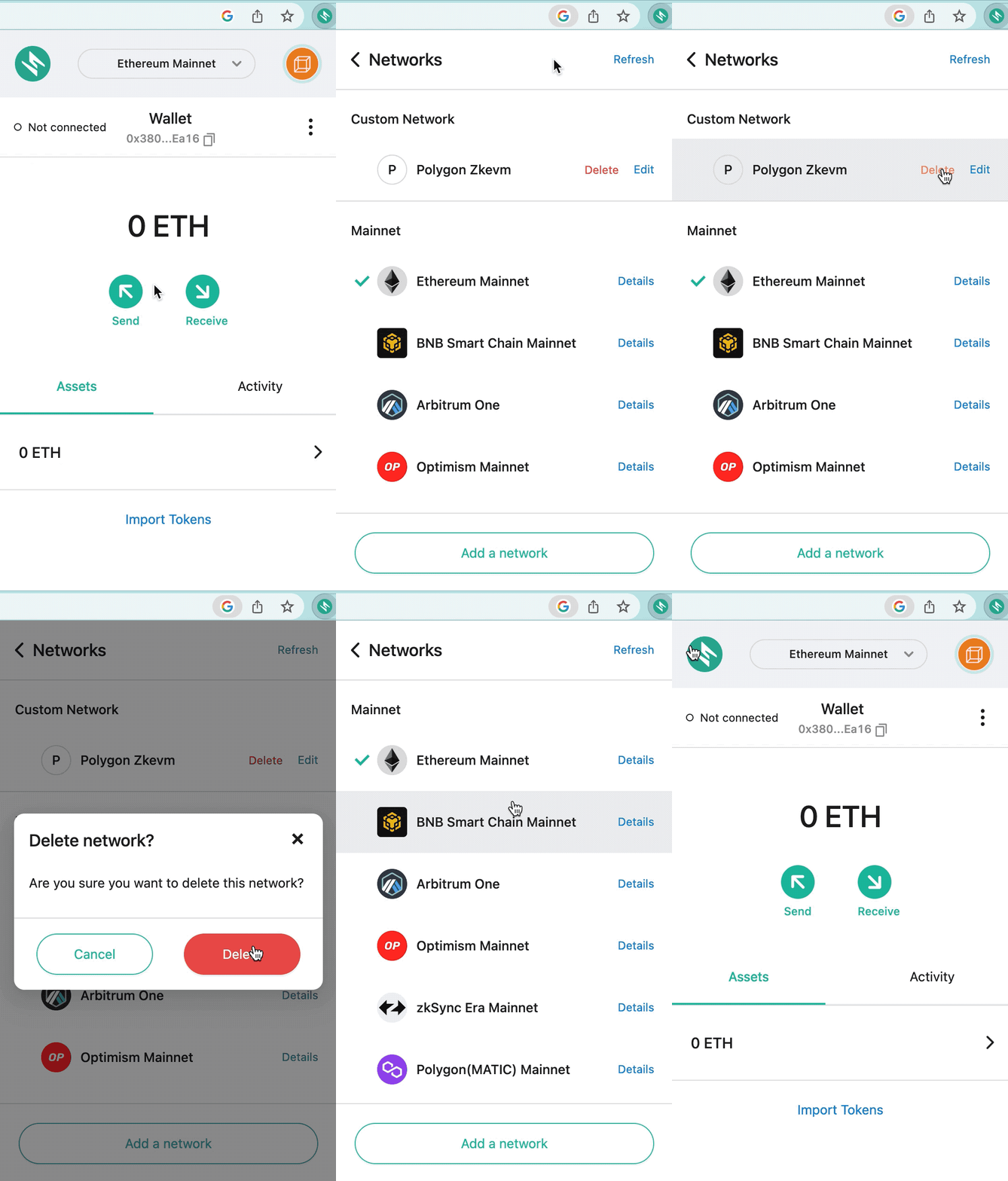
Safeheron customers can now add custom networks within the extension, allowing them to add customized RPC nodes. This enables efficient configuration of blockchain networks without the need to contact the Safeheron team, resulting in an improved user experience.
#### Add Custom Network
#### Delete Custom Network
### Optimized Wallet Display
Safeheron has optimized the wallet display within the browser extension by using page breaks for every 200 addresses. This facilitates browsing for institutional customers with a large number of wallet addresses. Additionally, the Safeheron browser extension now supports querying a single wallet address, further enhancing the usability of the extension.